Play Compliment with Friends
Invite flow, friend-lobby etiquette, and how private nights change voting math.
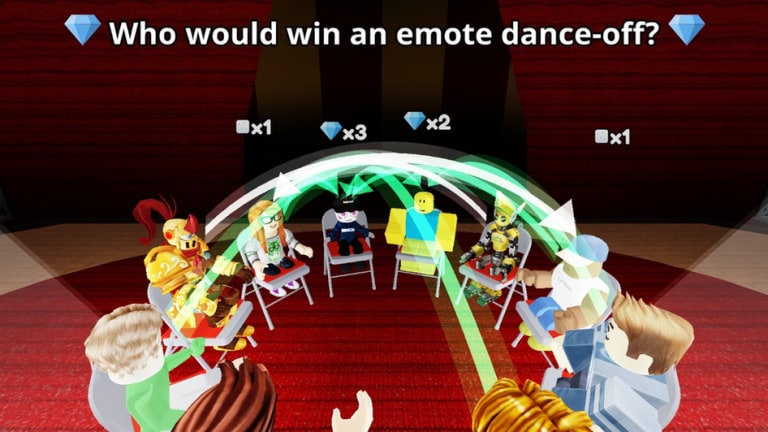
Compliment shines with people you know. The Roblox Party & Casual hit from TÄ Games caps lobbies at 16 players, which is perfect for a friend group, a class Discord, or a chaotic cousin night. This guide covers how to get everyone into the same session, how friend bias changes voting, and how to keep greens fun without excluding quieter players.
Pair this leaf with the Players Hub and TÄ Games. For the core loop, keep Getting Started open on a second screen the first time you host.
Important note about VIP / private servers
Some Roblox experiences allow paid VIP servers; others keep that option off. Compliment’s live configuration can disable VIP creation. Do not assume a paid private server button exists. When VIP is unavailable, use Roblox friend joins, party invites, and coordinated public lobbies instead. Always verify the current join options on the official Compliment page.
Ways to play together
1. Friend join from the Roblox app
- One host presses Play on Compliment.
- Friends open the host’s Roblox profile or Friends list.
- Use Join / Join Game when the host is in the experience.
- Wait until the lobby HUD finishes loading before voting.
2. Share a server invite link when Roblox provides one
If your platform shows a server invite or share link, paste it in your group chat. Confirm everyone lands in Compliment — not a different TÄ Games place — before you start crowning friends.
3. Coordinated public lobby
When joins fail, have everyone spam Play within the same minute and call out the server name or a visible avatar outfit so stragglers can rejoin the correct instance.
Host checklist before round one
- Everyone finished the basic UI tour on Controls & UI
- Someone explains green arrows in one sentence — or send Green Arrows Explained
- Agree whether tonight is “sincere votes only” or “friend chaos allowed”
- Decide a rotation so the same two people are not crowned twelve times
- Keep Codes bookmarked in case a drop lands mid-session
How friend lobbies change the meta
In public servers, S-tier room reading wins. In private friend nights, friendship bias becomes content — but it can still award greens when the whole room shares the joke. The Tier List labels this as B-tier: fine with consent, bad as an unmarked default in mixed lobbies.
Healthy private rules:
- Rotate spotlights every few rounds
- Still honor prompts that clearly fit one person
- Invite newcomers with a one-line ruleset
- Ban humiliation prompts about real-life insecurities
Unhealthy pattern: two people crowned forever while others go silent. That is how friend groups shrink.
Teaching newcomers in under a minute
- “Read the question.”
- “Tap who fits.”
- “Watch arrows — green means gems.”
- “Codes button is here for later.”
Then send Getting Started and Tips and Tricks. Skip script talk unless someone asks — then send Scripts for the safety answer.
Troubleshooting friend joins
| Problem | Fix |
|---|---|
| Join button missing | Host may be in a restricted instance; rejoin public and retry |
| Friend lands in wrong game | Confirm place ID 124156325220041 |
| Friend cannot vote | HUD still loading — wait; see Troubleshooting |
| Lobby feels empty | Roblox privacy settings may block joins — check friend permissions |
| Everyone tilted | Take a break; greens fall when people mash |
After the November 8 2026 update
Post-patch, retest invite joins once using the November 8 2026 Update checklist. HUD moves can confuse first-time hosts more than veterans.
Related pages
- Players Hub — etiquette overview
- TÄ Games — creator channels
- Voting Strategies — when to allow friendship bias
- Secret Area — fun side goal for friend exploration nights
- Links Hub — official destinations
Host kindly, rotate crowns, and keep the compliments real. Friend lobbies are where Compliment’s fantasy feels biggest.
Frequently Asked Questions
Quick answers about Compliment on Roblox.
Can I make a private VIP server for Compliment?
Not always. VIP creation depends on experience settings and may be disabled. Use friend joins and invite links when VIP is unavailable.
How do I invite friends to Compliment?
Have a host join first, then friends use Roblox Join from the Friends list or a server invite link when available.
Should we always vote for friends?
Only when everyone agrees that friendship bias is the night’s joke. Otherwise use sincere room reading from the Tier List.
What should new friends read first?
Send Getting Started and the one-minute host speech on this page.